
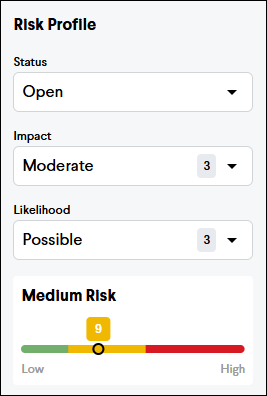
Risk Score
Assigning a score to each Risk will help your team prioritize which risks to focus on addressing. The risk score is calculated by multiplying the Impact (1-5) by the Likelihood (1-5), which results in a range of 1 to 25. The Risks will then be grouped into the following priority groups:
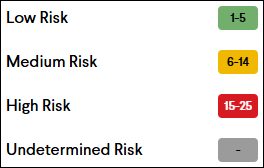
Low Risk (1-5)
Medium Risk (6-14)
High Risk (15-25)
The score will remain undetermined until both an Impact and Likelihood have been assigned.
Impact
The Impact score is used to determine the level of impact a risk will have if the risk occurs. Impact is scored from 1 to 5 as follows:
1 - Insignificant
2 - Minor
3 - Moderate
4 - Major
5 - Severe
Likelihood
The Likelihood score is used to determine the probability that a risk will occur. Likelihood is scored from 1 to 5 as follows:
1 - Rare
2 - Unlikely
3 - Possible
4 - Likely
5 - Almost Certain
Risk Charts
After creating a list of Risks, charts will display at the top of the Risk Register page to better visualize your project's risk profile. These charts show the distribution of Risks by their score and show progress towards closing mitigated Risks.
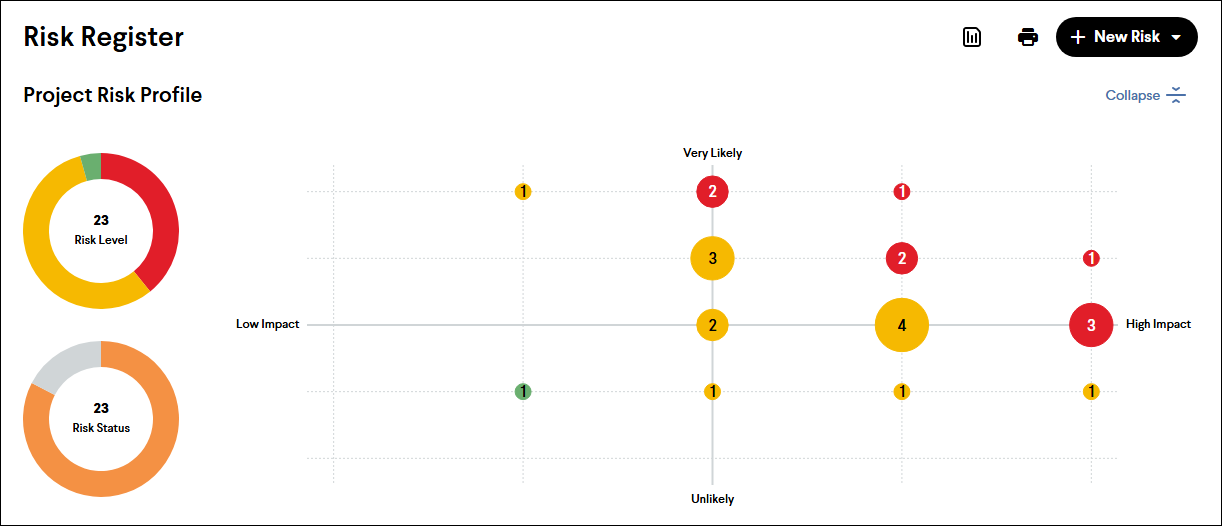
Tip: The charts are interactive. Click different segments of the charts to quickly filter the Risk Register.